
AI TRAINING VIDEO GENERATOR
AI Training Video Generator for
Scalable Team Learning
Create clear, branded training videos without booking a studio, hiring presenters, or repeating the same explanation again and again. Mimic Minds helps teams turn scripts, SOPs, product knowledge, policies, and onboarding material into polished AI avatar videos that are easier to watch, easier to update, and easier to scale across departments.


Overview
What is an AI training video generator?
An AI training video generator is a tool that helps teams create training videos from scripts, documents, policies, product guides, or learning material. Instead of filming a person every time a training module changes, teams can use AI avatars, voice controls, captions, branded layouts, and reusable templates to create training videos faster. Mimic Minds is designed for teams that want professional AI training videos for onboarding, compliance, sales enablement, customer education, internal learning, and product training.
Training Use Cases
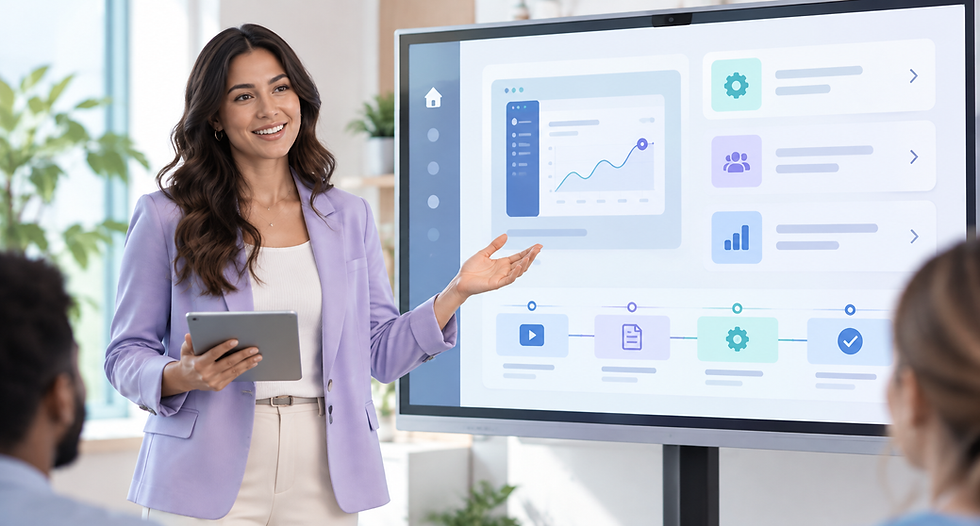
Create Training Videos Your Team Will Actually Watch
Turn internal knowledge into clear, structured video lessons that feel polished, human, and consistent across every department.



Why AI Training Videos
Training Content Should Not Take Weeks to Produce
Traditional training videos are expensive to film, slow to update, and difficult to scale across different teams, roles, and regions. When policies change, products evolve, or new employees join, training teams often need fresh content quickly. Mimic Minds helps solve this by turning written knowledge into avatar-led training videos that feel structured, professional, and ready to reuse.
No repeated camera shoots for every training update
No dependency on one presenter’s schedule
No inconsistent delivery across departments
No starting from a blank editing timeline every time
No outdated training content sitting unused in folders

Meet the Cast
Choose the Right AI Presenter for Your Training Content
Different training topics need different delivery styles. Choose a digital presenter that matches the tone of your lesson, from executive communication to product education, wellness, operations, and internal learning.






How It Works
From Training Script to Script to Video in Minutes
A simple workflow for turning workplace knowledge into polished training videos your team can reuse, update, and share.
01
Start With Your Training Material
Paste a script, lesson outline, SOP, product guide, policy document, onboarding checklist, or internal training note.
02
Choose an AI Training Presenter
Select a lifelike avatar that matches the tone of your training, from professional and formal to friendly and instructional.
03
Tune the Voice and Delivery
Adjust pacing, tone, pauses, and emphasis so the training feels clear, natural, and easy to follow.
04
Add Captions and Visual Structure
Use captions, section titles, branded layouts, and readable formatting to help learners follow the key points.
05
Export, Share, and Reuse
Create training videos for employee onboarding, internal knowledge bases, LMS uploads, sales enablement, customer education, and team communication.
Studio Controls and Features
Training Video Controls Built for Teams
Mimic AI Studio gives teams the control to create consistent, brand-ready training videos without relying on traditional production timelines.
Script-to-Training Video Workflow
Turn written training content into avatar-led videos that explain the material clearly and consistently.
Lifelike AI Presenters
Use digital presenters that make training content feel more human, engaging, and easier to watch than static documents.
Voice and Performance Direction
Adjust tone, pacing, pauses, and emphasis to match the seriousness, clarity, and energy your training requires.
Captions for Better Learning
Captions for Better Learning
Add readable captions to support comprehension, accessibility, sound-off viewing, and faster review.
Reusable Brand Presets
Save colors, layouts, logos, fonts, and presentation styles so every training video feels consistent across your organization.
Multi-Language Training Versions
Create localized versions of training videos so teams in different regions can learn from the same core message.
Microlearning Formats
Break longer training material into short, focused videos that are easier to watch, remember, and share.
Multi-Platform Aspect Ratios
Export training videos in formats suited for internal portals, learning platforms, mobile viewing, websites, and social learning clips.
Fast Update Workflow
When a process, policy, or product changes, update the script and regenerate the video instead of reshooting from scratch.
Export-Ready Training Assets
Create polished video assets for onboarding, compliance, product training, sales enablement, internal communication, and customer education.
Responsible Training
Training videos often include company policies, employee guidance, product information, customer-facing claims, and internal procedures. Mimic Minds should be used with clear review workflows, approved scripts, and responsible use of likeness, voice, and brand assets.
Built for Responsible Workplace Training

Approved Training Scripts
Use reviewed and approved scripts for compliance, safety, legal, HR, product, and customer-facing training topics.

Consent for Likeness and Voice
Use likeness and voice only with proper permission, especially when creating custom avatars based on real people.

Policy and Compliance Review
Review videos before publishing when the content includes workplace rules, legal claims, financial guidance, safety procedures, or regulated topics.

Version Control for Training Updates
Keep track of which training videos are current, which ones need review, and which versions should be removed or replaced.

Clear Audience Boundaries
Define whether each training video is for employees, customers, partners, contractors, or public-facing education.
Frequently asked questions
- 01
- 02
- 03
- 04
- 05