
Will AI Avatars Replace Customer Support Teams?

Updated: 6 hours ago

What if your best support agent never slept, never forgot policy, and still sounded calm at 2:00 AM?
Customer support is under pressure from every angle: rising ticket volume, global time zones, stricter compliance, and customers who expect instant answers on chat, voice, and social all at once. For many teams, the bottleneck is not effort, it is throughput and consistency. This is where conversational digital humans are starting to do real operational work, not as a gimmick, but as a scalable interface that can resolve routine issues, guide customers through workflows, and hand off to humans when nuance matters.
When people search “AI Avatars Replace Customer Support Team,” they are usually asking two things at the same time. First, can an interactive avatar actually reduce headcount or ticket backlog without breaking customer trust? Second, what does an implementation look like when you treat it like production, with scripting, supervision, analytics, and a clean escalation path rather than a chatbot bolted onto a help page.
The realistic answer is that AI avatars do not replace care. They replace repetition. The best deployments shift human agents up the value chain: exceptions, complex billing, high emotion conversations, and retention saves. Meanwhile, the avatar handles the high frequency, well defined tasks with on brand voice, policy accuracy, and measurable resolution rates.
Table of Contents
Why customer support teams break at scale
Most support orgs fail for predictable reasons, and none of them are “bad agents.”
Ticket volume spikes faster than hiring cycles
Knowledge bases drift, so answers become inconsistent across agents
Customers repeat themselves across channels, which increases handle time and frustration
Training and onboarding create quality swings, especially during growth phases
The cost of covering nights, weekends, and multilingual markets compounds quickly
An AI driven virtual representative thrives in exactly these conditions because it is built for repeatability. If the question is known and the policy is defined, the avatar can answer it the same way every time, across voice and chat, with zero fatigue.
The real inflection point comes when support is treated like a pipeline: intent detection, authentication, policy lookup, action execution, confirmation, then logging. Once your support flow becomes structured, a real-time conversational avatar can take on the front line while humans remain the final authority for edge cases.
What an AI avatar is and what it is not

A support avatar is not “a face on a chatbot.” When it works, it is a full interaction layer that combines:
Speech to text for capturing the customer’s intent on voice
A reasoning model that follows policy, resolves steps, and asks clarifying questions
Text to speech with controlled tone, pacing, and pronunciation for brand trust
A visual digital human or character interface that reduces friction and increases engagement
Tool access for tasks like order lookup, password reset, ticket creation, refunds, appointment booking, and escalation
This is also where the “replace” conversation gets misunderstood. If your avatar cannot take actions, it only deflects. If it can take actions safely, it resolves. Replacement happens at the workload level: fewer tickets reach humans because more are completed end to end.
A practical way to think about it is a tiered system:
Tier 0: self serve pages and static FAQs
Tier 1: AI avatar resolves routine questions and executes standard actions
Tier 2: human agents handle exceptions, disputes, and high emotion moments
Tier 3: specialists handle compliance, refunds above thresholds, and retention
In this model, the phrase AI Avatars Replace Customer Support Team becomes less about removing humans and more about rebalancing the team around higher leverage work.
How AI avatars replace customer support team workflows in practice

The most successful deployments start with a hard truth: support is not one problem. It is a bundle of micro problems. The avatar wins by mastering a narrow set first, then expanding.
Step 1: Start with high volume, low ambiguity intents
Look for tickets that have a correct answer and a stable policy.
Order status and shipping updates
Password reset and account recovery
Subscription cancellation flows with retention offers
Store hours, location info, appointment scheduling
Returns and exchange eligibility checks
These are ideal because they map cleanly to structured actions and can be verified through logs.
Step 2: Build an escalation design, not just a fallback button
Escalation should be a planned cinematic cut, not a jarring reset. In production terms, it is a scene transition: the avatar keeps context, summarizes, and hands off with minimal customer repetition.
Capture customer identity and verification state
Summarize the issue in two to four sentences
Attach relevant transcripts, screenshots, and order ids
Route by intent, priority, sentiment, and value tier
If you are building an avatar interface as a product surface, an embeddable deployment pattern matters. Many teams implement the avatar as a site layer that can live on support pages, product pages, and checkout. A good reference for web friendly deployment patterns is the kind of tooling described in Mimic AI Studio, where the avatar is treated like an interactive media asset plus an intelligence layer rather than a text only widget.
Step 3: Ground responses in a governed knowledge layer
Support answers must be auditable. That means the avatar should be tied to:
A versioned policy library
A product and pricing database
A known set of tools it can call, with permissions
A refusal and safety layer for disallowed requests
This is where many teams graduate from basic conversational systems into more structured orchestration, sometimes described as “agentic” workflows. If you want a clean mental model for tool using systems, explore AI Agents as a companion concept to avatars: the agent is the doer, the avatar is the face and voice that customers experience.
Step 4: Measure outcomes like a support leader, not a demo team
The metrics that matter are the ones your support org already lives by.
First contact resolution rate
Containment rate without customer frustration signals
Average handle time for escalations after avatar triage
Customer satisfaction after avatar interaction
Policy compliance and error rate
Cost per resolution and cost per contact
Replacement becomes visible when your volume stays flat but human handled tickets shrink, and when escalations arrive cleaner, faster, and better labeled.
The production pipeline behind a support ready avatar

At Mimic, we treat customer support avatars like performance systems, because the customer reads tone, timing, and confidence before they judge correctness.
Character and voice design
A support avatar needs emotional stability. Not exaggerated friendliness, but calm competence.
Define a brand aligned persona: helpful, precise, non defensive
Choose voice qualities: pace, warmth, accent neutrality, pronunciation rules
Create a response style guide: short confirmations, clear next steps, minimal fluff
Visual consistency and trust cues
If you use a digital human, the uncanny valley is not a meme, it is a trust tax. The goal is readability.
Clean facial rig that supports micro expressions without overstating them
Lighting and render style that matches your brand surfaces
Eye line and idle motion that feels attentive rather than distracting
Real-time interaction and latency control
Support is timing. If the avatar takes too long, it feels uncertain.
Stream speech recognition to reduce perceived delay
Use short acknowledgements while tools run
Cache common answers and pre compute policy snippets
Log every tool call for audit and debugging
Consent, privacy, and compliance
Customer support deals with personal data. A serious deployment includes:
Data minimization, only collect what the task requires
Clear disclosure that the customer is speaking with an AI system
Redaction rules for sensitive data in logs and training pipelines
Permission scoped actions for refunds, cancellations, and account changes
This is also why enterprise support deployments often need tailored governance. When your workflows touch regulated data, systems must be deployable with control over access, retention, and auditing. For larger rollouts, a useful reference point is Enterprise deployment, where the focus is usually security, scale, and operational ownership rather than pure feature checklists.
Applications Across Industries
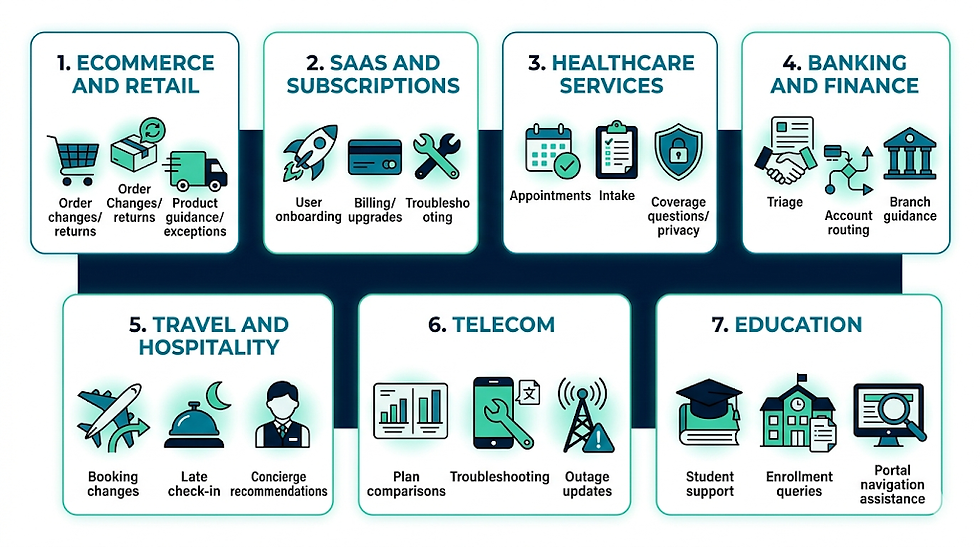
Support is universal, but the intents change by industry. The same avatar stack can adapt with domain knowledge, tool integrations, and policy boundaries. For an overview of where conversational avatars are most commonly deployed, see Industries.
Ecommerce and retail: order changes, returns, product guidance, delivery exceptions
SaaS and subscriptions: onboarding, billing, upgrades, cancellations, feature troubleshooting
Healthcare services: appointment scheduling, intake guidance, coverage questions with strict privacy controls
Banking and finance: card disputes triage, account routing, branch guidance, escalation to verified channels
Travel and hospitality: booking changes, late check in support, concierge style recommendations
Telecom: plan comparisons, device troubleshooting scripts, outage updates
Education: student support, enrollment queries, portal navigation assistance
In each case, the avatar becomes a consistent front door. Customers do not need to know which department owns the answer. They just talk.
Benefits
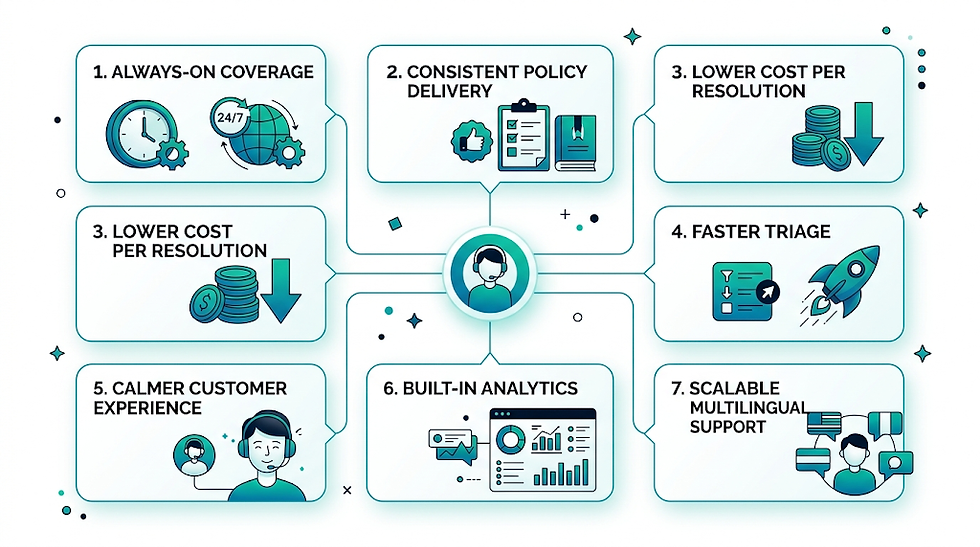
The best reason to deploy an avatar is not novelty. It is operational clarity.
Always on coverage across time zones without shift staffing complexity
Consistent policy delivery, fewer “agent roulette” outcomes
Lower cost per resolution for routine tickets
Faster triage that reduces handle time for human agents
A calmer customer experience, especially on voice, when the avatar can guide step by step
Built in analytics from every interaction: intent trends, drop off points, sentiment signals
Scalable multilingual support when paired with robust language handling and localized policy sets
If you are evaluating ROI, cost transparency matters. Many teams compare the avatar program against hiring, outsourcing, and deflection tooling. A straightforward place to benchmark packaging expectations is Pricing, then map those numbers to your current cost per contact and ticket volume.
Designing Human and AI Support Roles Together
The useful question is not whether an avatar replaces a team, but which parts of the support journey can be standardized safely. Repetitive guidance and status explanations differ from complaints, negotiation and emotionally sensitive situations.
Ground the avatar in approved support content and connected systems, with permissions limited to the tasks it must complete. It should show uncertainty, confirm important actions and never invent policy or account information.
Handoff is part of the product. Transfer the conversation summary, intent and completed steps to the human agent so the customer does not repeat everything. Make the route to a person visible from the beginning.
Measure resolution, repeat contact, escalation quality, customer effort and employee workload. Deflection alone can hide failed journeys that simply moved customers to another channel.
Practical Takeaways
Automate bounded support tasks, not accountability.
Ground answers in maintained systems and policies.
Design context-rich human handoff.
Measure resolution and customer effort, not deflection alone.
Related Mimic Minds Resources
FAQs
1) Can AI avatars fully replace a customer support team?
They can replace a large portion of tier one workload when intents are repeatable and the avatar can execute approved actions. Most businesses still keep humans for exceptions, retention, disputes, and high emotion cases.
2) What is the difference between an AI avatar and a chatbot?
A chatbot is usually text only and flow based. An AI avatar is a multimodal interface that can speak, listen, and present a consistent persona, often with tool access to complete tasks rather than just answer questions.
3) How do you prevent an avatar from giving wrong answers?
Use a governed knowledge layer, restrict tool permissions, log interactions, and require the avatar to cite internal policy sources. Also design a strong escalation path when confidence is low.
4) Will customers trust AI avatars on sensitive issues?
Trust depends on transparency, calm tone, and clear options to reach a human. For sensitive topics, the avatar should collect minimal information, explain next steps, and route to verified channels.
5) What support tasks are best to automate first?
Start with order status, returns eligibility, password resets, appointment scheduling, and basic billing updates. These are high volume, policy driven, and measurable.
6) Do AI avatars work on voice support, or only chat?
They can work on both. Voice requires strong speech recognition, low latency streaming, and careful text to speech tuning so the experience feels confident and not robotic.
7) How do AI avatars handle multilingual customer support?
They can detect language, respond in the customer’s preferred language, and localize policy and tone per region. The key is maintaining consistent governance across languages, not just translation.
8) What does implementation typically require?
A defined intent list, policy documentation, integrations to your support tools, a persona and tone guide, escalation design, and ongoing analytics driven tuning.
Conclusion
Replacing a customer support team is the wrong framing, even if the cost pressures are real. What actually changes is the shape of support. AI avatars take the repetitive surface area, the constant questions, the routine workflows, the triage that drains human attention. Humans move into higher judgment work: exceptions, empathy, and outcomes that require real discretion.
When done with production discipline, a support avatar is not a gimmick. It is a scalable interface with measurable resolution, consistent policy delivery, and a calmer customer journey across chat and voice. If your goal is to operationalize the idea behind AI Avatars Replace Customer Support Team, focus on what the avatar can safely complete end to end, design the handoff like a clean scene transition, and treat governance as a first class feature. That is how automation becomes customer experience, not customer deflection.
For further information and in case of queries please contact Press department Mimic Minds: info@mimicminds.com


Comments